

Excel Power Query Basic Course
Step by step
Hands-on learning
Beginner friendly
Learn how to automate repetitive Excel work and build workflows you can use again and again.
Import
Bring in data from files and sources.
Transform
Clean, shape and combine your data.
Refresh
Run the same steps with new data.
Use
Updated data, ready for analysis.
The Power Query Basic course includes:
- 8 video lessons
- 8 practice materials
- One-on-one lesson with our expert
- Unlimited lifetime access
89.00 €
LEVEL UP YOUR WORKFLOW
What you will learn in the course
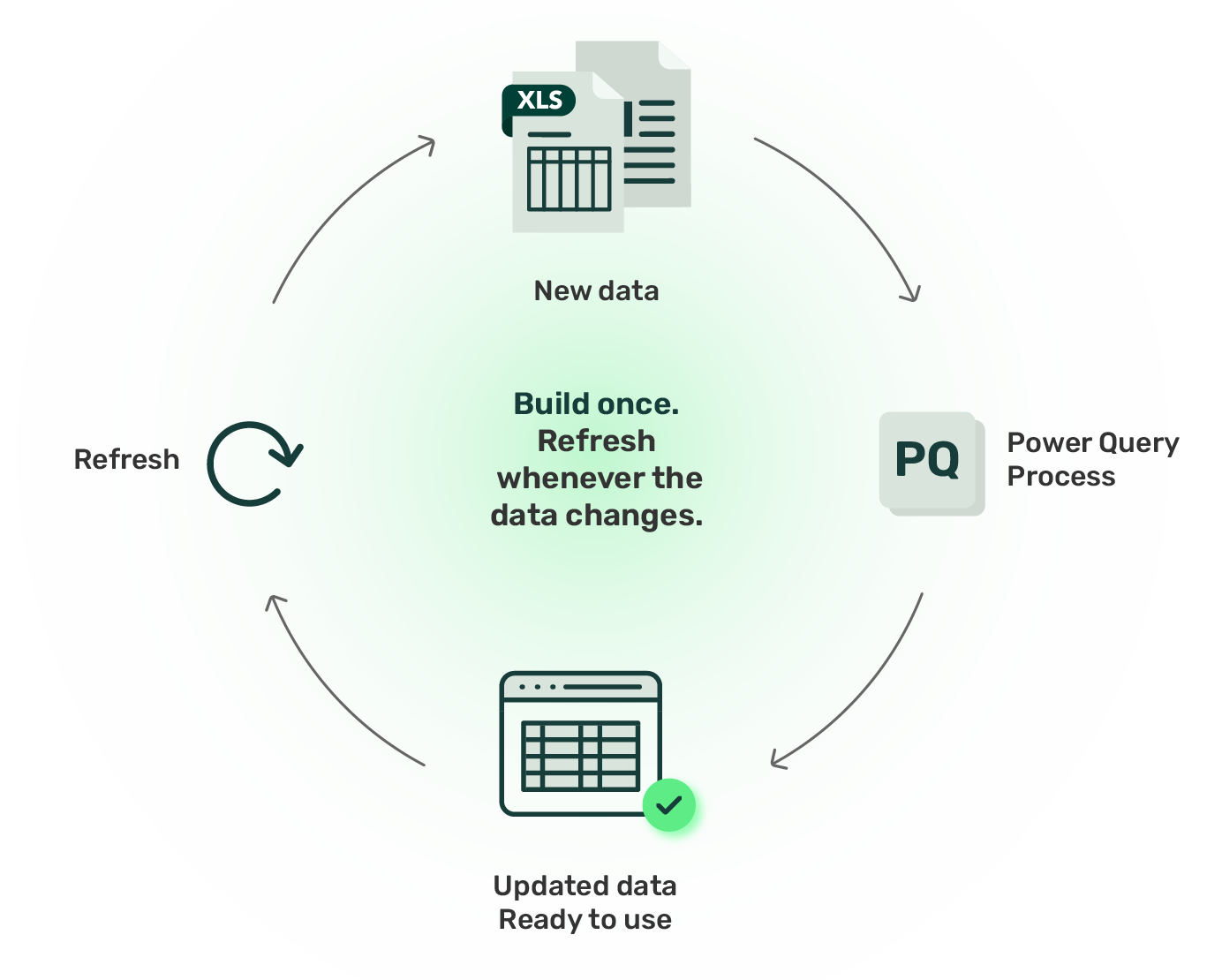
Build the process once. Refresh it whenever the data changes.
Instead of repeating the same preparation every time new data arrives, Power Query lets you build a repeatable workflow that can be refreshed with updated data.
Content
Inside the course
From importing and transforming data to building efficient, repeatable workflows in Power Query.
Sources
Create new columns using examples, custom formulas, conditions, indexes, or existing data to expand and structure your dataset.
Filters
Learn how to filter and sort data using text, number, and date criteria, and prepare the final result for loading.
Home tab
Clean and organize your data by managing rows and columns, splitting content, setting headers, replacing values, and refreshing your query.
Transform tab
Transform and organize your data by grouping, formatting, extracting, and restructuring values while working with the correct data types.
Add Column tab
Create new columns using examples, custom formulas, conditions, indexes, or existing data to expand and structure your dataset.
View tab
Learn how to identify common data errors and understand where issues occur during the transformation process.
Formatting errors
Understand what causes formatting errors and learn how to resolve them by removing or replacing problematic values.
Load as options
Choose how to load your processed data — as a worksheet, PivotTable, PivotChart, or connection — based on your workflow needs.
MADE FOR REAL WORK
Who is this course suitable for?
Administrative and office positions
- Office managers
- Administrative assistants
- Coordinators
- HR specialists
Finance and accounting
- Accountants
- Financial analysts
- Auditors
Marketing and sales
- Digital marketers
- Performance specialists
- Sales teams
Logistics and operations
- Supply chain
- Planning
- Technical departments
- HR specialists
Healthcare and clinical trials
- Data managers
- Data analysts
- Statisticians
Own business
- Managers
- Executives
- Entrepreneurs
89 €
FAQ
Questions and answers
How can I sign up?
To start the Excel Power Query course, click the “SIGN UP” button and follow the steps. Once the fee is successfully paid, you will receive access to the materials.
How are the classes conducted?
Classes are conducted entirely online, and you receive access to them immediately after payment. When you complete your online training, you will have an individual one-hour consultation with one of our specialists.
How much does the course cost and what does it include?
Get lifetime access to Power Query Basic for just 89 € and take your first step toward automated reports and faster data analysis. Through 8 video lessons, practice materials and ready‑to‑use downloadable resources, you will build a solid foundation even if you are not an advanced Excel user. The individual Q&A session helps you solve your specific cases, and the completion certificate together with unlimited access lets you revisit the lessons whenever you need